Verify Personal Information in Rippling for 2025 Tax Documents (W-2)
Last updated: November 20, 2025
📌 Overview
To ensure you receive your 2025 Form W-2 promptly and accurately, you must verify your personal information in Rippling. Incorrect information can lead to tax filing issues and delays.
Deadline for 2025: December 19, 2025
1. ✅ Verification Checklist
Please verify the following critical information within your Rippling profile:
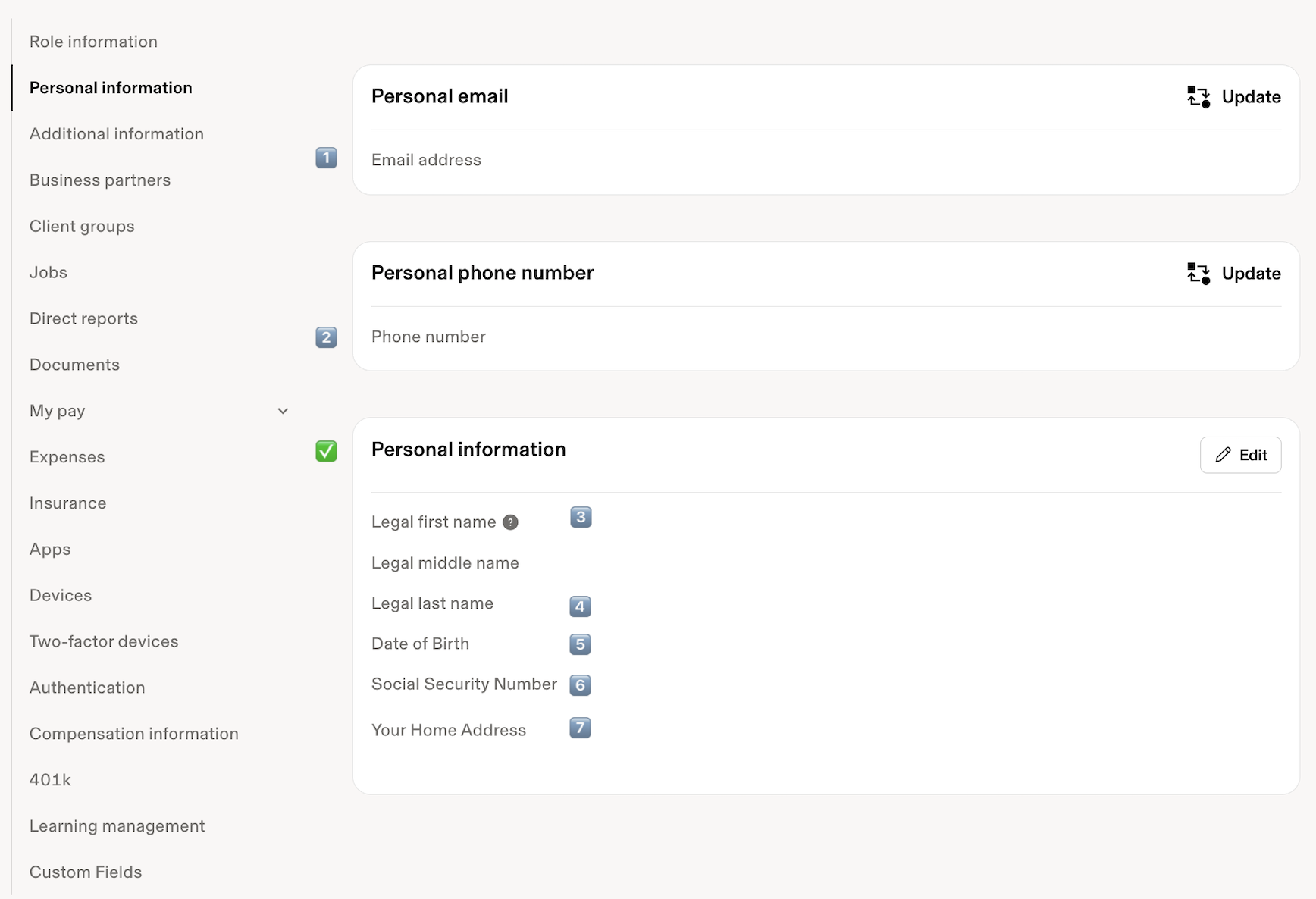
Full Legal Name (Must exactly match the name on your Social Security card)
Current Home Address
Social Security Number (SSN)
2. 💻 How to Review and Update Your Information
Follow these steps to check and update your personal information in Rippling:
Log in to your Rippling account:
Navigate to your Profile Settings (usually by clicking your profile picture in the upper right corner).
Review and update your Full Legal Name, Home Address, and Social Security Number (SSN) as needed.
Save any changes.
Note: If all your information is correct, no action is needed other than taking a moment to double-check!
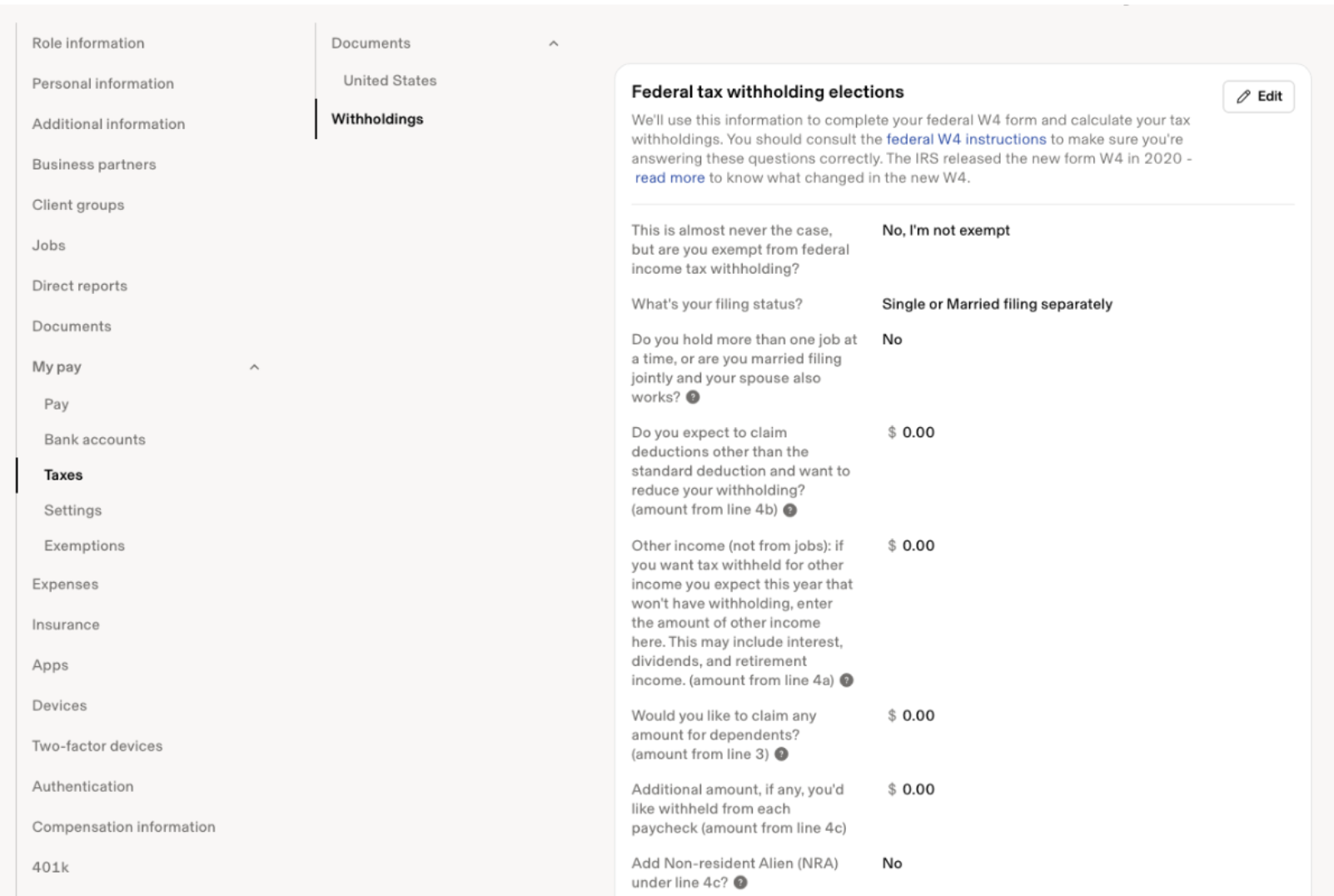
It's also crucial to review your Federal Form W-4 and any applicable State Withholding forms to ensure the correct amount of income tax is being withheld from your paychecks.
Why this matters: If your family or financial situation has changed (e.g., marriage, new dependent, a second job), your withholding elections may need to be updated. Incorrect withholding could result in owing a large amount of tax at the end of the year or having too much money withheld.
3. 📝 How to Review/Update Your W-4 in Rippling
Log in to your Rippling account: [Link to Rippling Login, if available]
Click on your Profile Picture in the upper right corner.
Select My Profile.
Navigate to the My Pay tab.
Click on Taxes in the left-hand navigation.
Look for the sections labeled Federal W-4 and State Withholding Form(s).
Click the option to View or Edit the form.
Make any necessary changes to your filing status, dependents, or additional withholding amounts.
Save and Electronically Sign the new form(s) to submit the change.
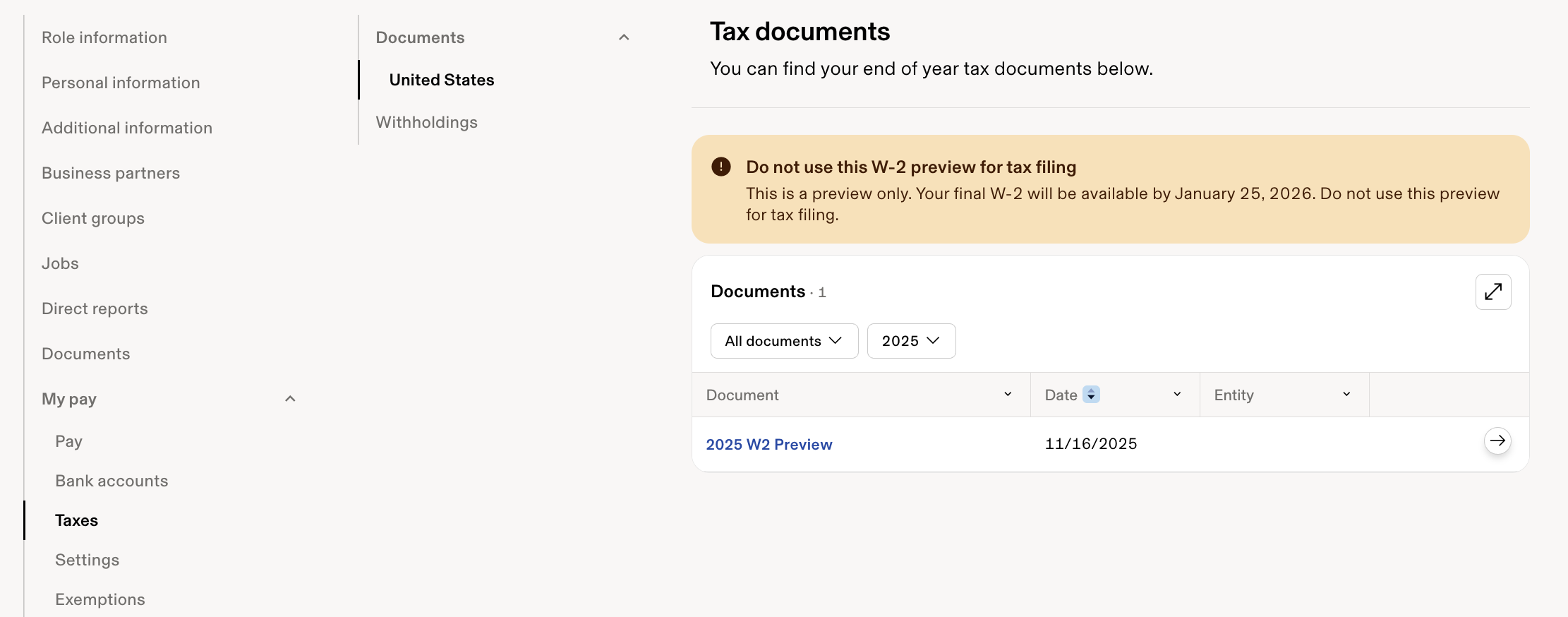
4. 📄 How to Access Your Tax Documents (W-2, etc.)
Once tax documents (like your Form W-2) become available in January, you can access them directly through your Rippling profile.
Follow these steps to download your documents:
Log in to your Rippling account.
Click on your Profile Picture in the upper right corner.
Select My Profile.
Navigate to the My Pay tab.
Click on Taxes in the left-hand navigation.
Select Documents.
Choose the appropriate tax year from the dropdown menu (e.g., 2025 for your 2025 W-2).
Click to View or Download your tax documents.
❓ Need Assistance?
Why this matters: Incorrect information can delay your W-2 or result in tax filing issues. Updating your details now helps us avoid costly corrections later.
If you have any questions or need assistance accessing Rippling or updating your information, please reach out to: hr@finnihealth.com
Thank you for your prompt attention to this important matter!