How to Find the iPad Serial Number
Last updated: January 28, 2026
This article explains how to locate the serial number of an iPad directly through the device settings. The serial number is often required for device registration, warranty checks, technical support, and asset management.
Follow these steps on the iPad:
Open the Settings and tap General
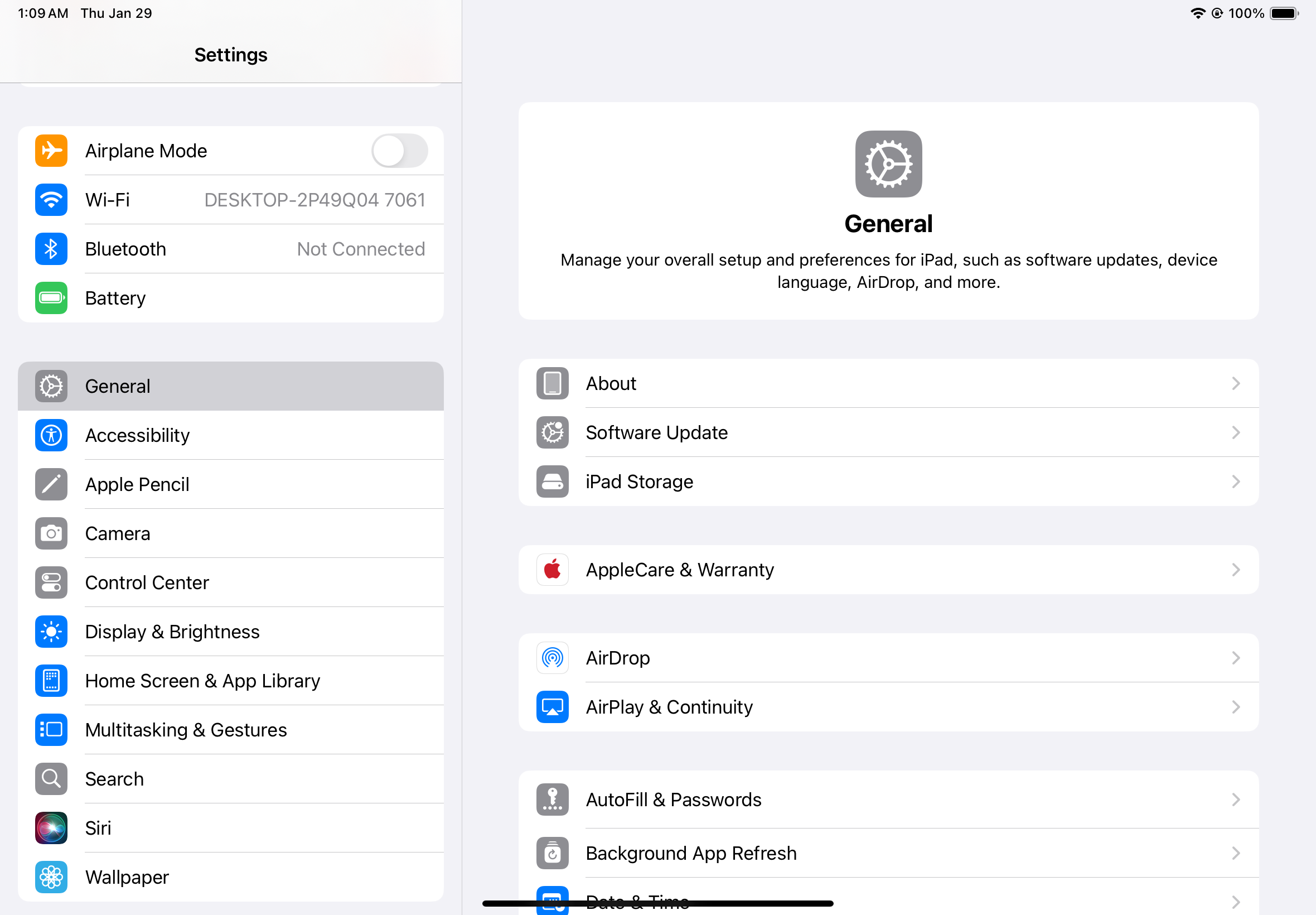
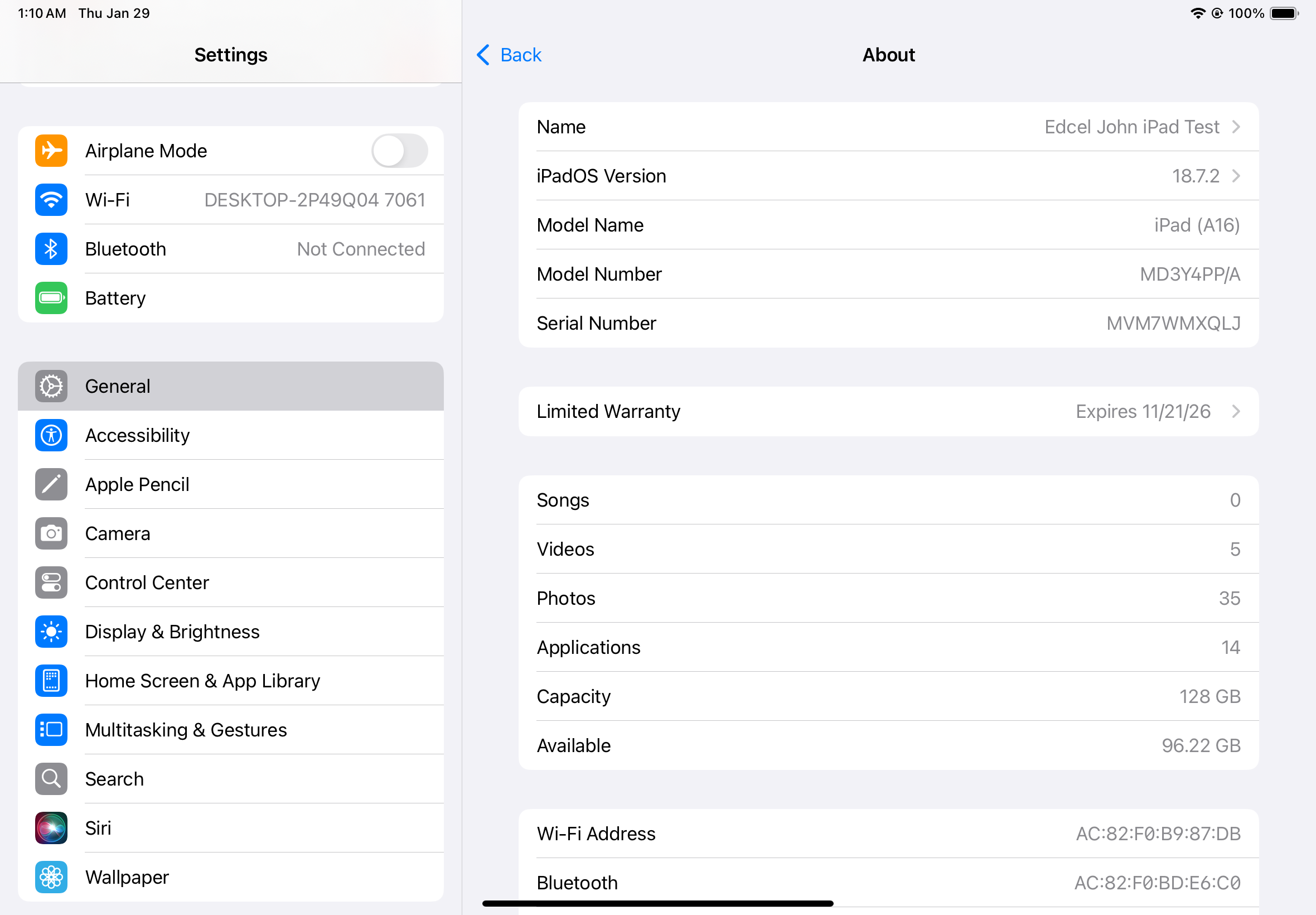
Tap About and look for the Serial Number in the list of device details
Troubleshooting
If the iPad cannot be accessed (locked, broken screen, or disabled), the serial number can also be found:
On the original iPad box
If you need further assistance, our team is happy to help with setup or answer any questions:
Slack: @support
Email: support@finnihealth.com