Empowering Your Practice: May 13, 2026 Weekly Updates
Last updated: May 13, 2026
Welcome to your weekly source for essential team updates. Each week, we will share updates designed to help you run a thriving, compliant, and efficient practice. From platform enhancements to compliance changes, this is your go-to resource for staying aligned.
Product/Engineering:
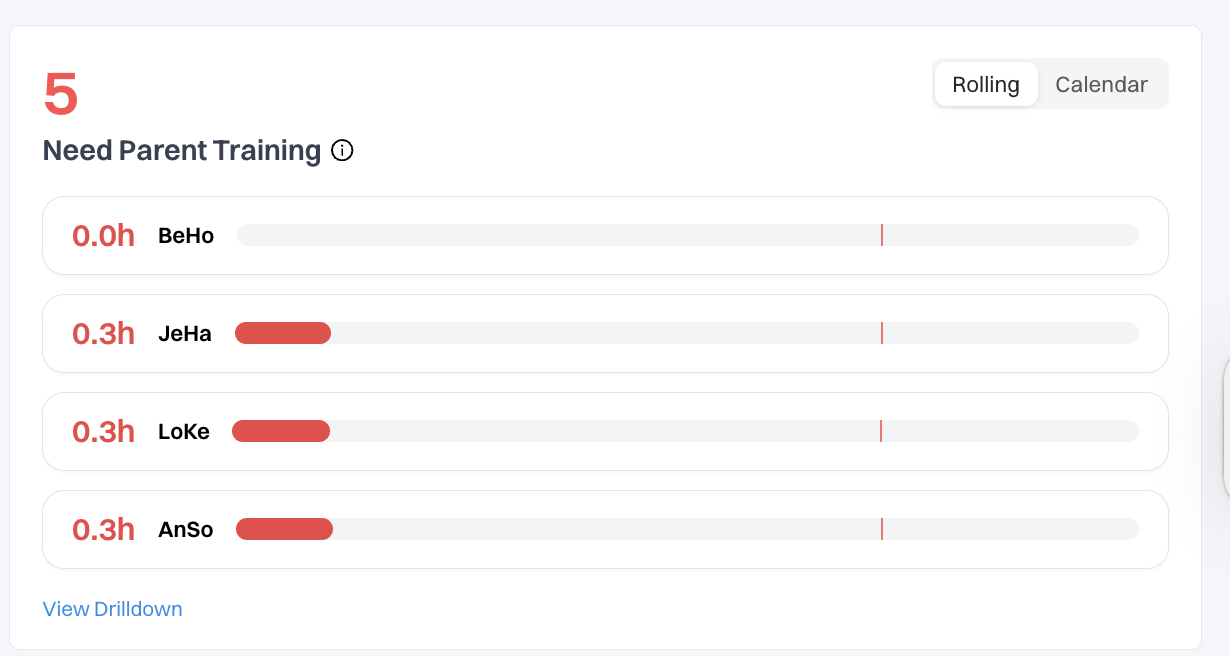
Parent Training Widget: A new Parent Training Widget has been added to the homepage to help better track and manage parent training hours.
This widget highlights clients whose parent training hours fall below the 2-hour target. You can toggle between:
• Rolling View — last 30 days
• Calendar View — current month
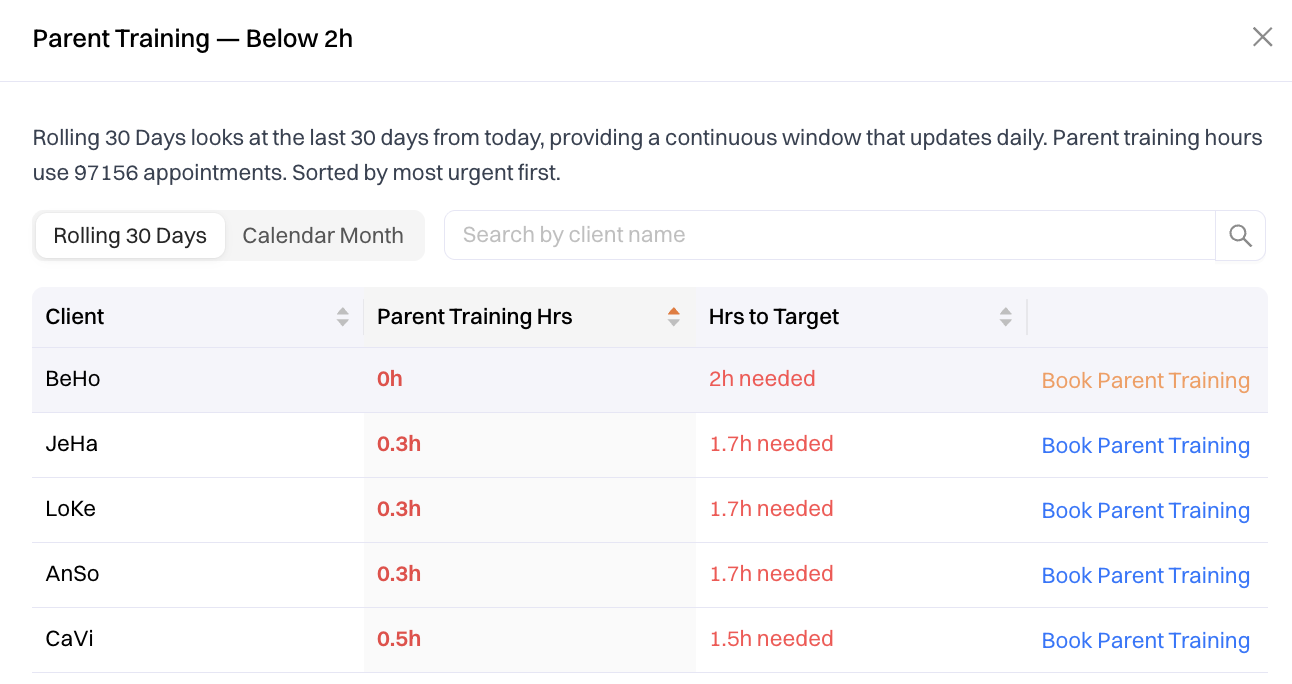
The new “View Drilldown” also provides additional visibility into clients’:
• Target Parent Training Hours
• Hours Remaining to TargetYou’ll also have a direct link available to quickly schedule parent training sessions.
Credentialing and Billing:
Adding/Updating Insurance Reminder: We wanted to share a quick reminder to help keep insurance updates running smoothly across systems. When adding or updating insurance details, please be sure to make all changes in Mission Control rather than directly in Silna. Once information is entered in MC, it will automatically sync over to Silna for you. To help avoid any delays with benefits, eligibility checks, or authorizations, please do not make manual updates in Silna.
If you notice that insurance details aren’t populating in Silna as expected, feel free to reach out to our support team using the chat button in MC or Orbit—we’re always happy to jump in and help get things resolved quickly.
For more details, you can check out our Support Article: Manually Adding/Updating Insurance in Mission Control (MC).
Insurance Card Required for Insurance Plan Setup: When adding an insurance plan, a photo of the front and back of the client’s insurance card will be required in their Mission Control profile. If the insurance card is unavailable, we can also accept a current screenshot of the plan details from the payer portal.
Having this information upfront helps our team accurately verify benefits, complete eligibility checks, avoid delays with authorization processing, and support accurate claims processing.
Please do not hesitate to reach out to @Support or your PSM with any questions!